
Sprite Sheet Maker vs Aseprite
Sprite Sheet Maker is a free browser-based sprite sheet generator that packs PNG, JPG, SVG, or WebP frames into one atlas with JSON, CSS, or XML coordinates. Aseprite is a paid pixel-art editor (~$19.99) where you draw sprites frame-by-frame and export the sheet directly from the same app. They solve different problems — one creates the art, the other packs existing frames — and many indie developers end up using both. This guide shows when each tool fits your workflow and how to combine them for Unity, Godot, Phaser, and Pixi.js projects.
What's the Core Difference?
Aseprite and Sprite Sheet Maker are often mentioned in the same breath, but they're not competitors — they sit on different steps of the same pipeline. Aseprite is a dedicated pixel-art editor sold for around $19.99 on Steam and itch.io, with an onion-skin timeline, palette tools, and a built-in sprite sheet export dialog. You draw every frame inside Aseprite and it emits a packed PNG plus JSON at the end. Sprite Sheet Maker is a free browser tool that doesn't draw anything — it takes finished PNG, JPG, SVG, or WebP frames from any source and packs them into a sprite sheet with JSON Hash, JSON Array, CSS, or XML TextureAtlas coordinates. If you already paint in Aseprite, its built-in exporter is usually enough. If your art lives in Photoshop, Procreate, Krita, Figma, or a generated asset pipeline, you need a dedicated sprite packing tool like Sprite Sheet Maker.
What Each Tool Does
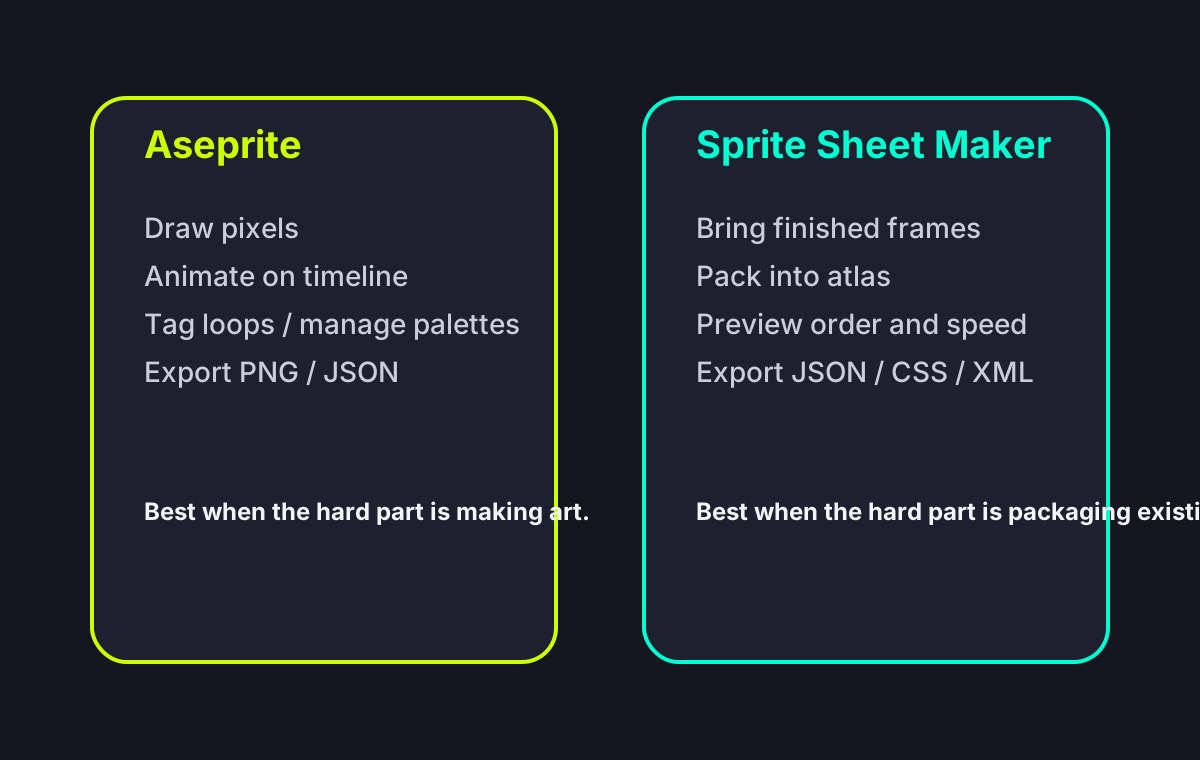
Aseprite is a pixel-art editor — you draw sprites frame-by-frame, animate them on a timeline, and manage color palettes. Sprite Sheet Maker is a sprite sheet generator — it takes existing image files and packs them into an atlas with coordinate data. One creates art; the other packages it.
Price
Aseprite costs around $19.99 once (Steam or itch.io), with free updates forever and an open-source compile-it-yourself path. Sprite Sheet Maker is completely free in the browser with no account, no watermark, and no commercial-use limit.
Input Sources
Aseprite expects you to draw inside Aseprite. It can import PNGs, but its core workflow assumes you own the pixel pipeline end to end. Sprite Sheet Maker accepts any PNG, JPG, SVG, or WebP — including exports from Photoshop, Procreate, Krita, Figma, Blender renders, or AI-generated frames.
Output
Aseprite's sheet exporter produces a packed PNG plus JSON Hash or JSON Array (same format Phaser and Pixi.js use). Sprite Sheet Maker exports JSON Hash, JSON Array, CSS sprites, and XML TextureAtlas in one ZIP — the XML output imports cleanly into Godot 4, which Aseprite doesn't natively target.
Editor vs Packer
Fact-by-Fact Comparison Matrix
For this comparison, the real question is not which tool is better in the abstract, but which part of the 2D pipeline you are trying to solve.
| Comparison Dimension | Sprite Sheet Maker | Aseprite |
|---|---|---|
| Art creation / animation editor | No built-in drawing or animation authoring environment; you bring finished frames. | Yes — full pixel-art editor with timeline, onion skinning, brushes, and playback tools. |
| Layer / tag workflow | No concept of layers, tags, or animation states stored as authoring data. | Yes — layers and tags are core to how Aseprite organizes animation loops and exports. |
| Source of truth for art | Best used after art already exists in another tool or pipeline. | Can be the source-of-truth file for pixel art, frame edits, palettes, and animation timing. |
| CLI / batch export | No command-line mode or CI integration today. | Yes — Aseprite supports command-line export for scripted art pipelines. |
| Godot-friendly XML output | Yes — exports XML TextureAtlas directly. | No native XML TextureAtlas target; JSON is stronger than XML in the default export flow. |
| CSS sprite output | Yes — CSS background-position export is built in. | No dedicated CSS sprite export workflow. |
| Installation / access | No install — works in the browser on any modern device. | Desktop app purchase/install required for the normal workflow. |
Side-by-Side Comparison
How Aseprite and Sprite Sheet Maker compare on the decisions that matter for 2D pipelines: art creation, animation timeline, packing, and engine output.
Art Creation
Aseprite is a full pixel-art editor with brushes, palettes, onion skinning, symmetry, and layer blending. Sprite Sheet Maker does not create art — it assumes you already have frames. If you need to draw pixel sprites, Aseprite wins hands down; there is no overlap here.
Animation Timeline
Aseprite has a proper animation timeline with per-frame duration, tags for named animation loops, and real-time playback inside the editor. Sprite Sheet Maker has an animation preview with FPS control for checking frame order but no per-frame timing — you set timing in your game engine.
Sheet Packing
Aseprite packs via a simple export dialog: by rows, by columns, or packed. Sprite Sheet Maker offers grid, horizontal strip, and vertical strip layouts with adjustable padding, uniform-size normalization, and background color control — slightly more packing flexibility, especially for mixed-size input frames.
Engine Export
Aseprite exports JSON Hash or JSON Array — perfect for Phaser, Pixi.js, and anything that reads TexturePacker-style JSON. Sprite Sheet Maker exports the same JSON formats plus CSS sprites (for web animations) and XML TextureAtlas (ideal for Godot 4 SpriteFrames import).
Source Compatibility
Aseprite's happy path is Aseprite-to-sheet. Importing PNG strips from Photoshop or Procreate is possible but awkward. Sprite Sheet Maker is source-agnostic — drop in PNGs from any tool, even GIF frames or Blender renders, and get a packed sheet.
Collaboration
Aseprite is a single-user desktop app; you share .aseprite files through Git or Dropbox. Sprite Sheet Maker runs on any machine with a browser, so a designer on an iPad can pack frames the programmer sent over Slack without installing anything.
Which Tool Should You Use?
These tools aren't mutually exclusive — many projects use both. The decision depends on where your art comes from and which engine you're shipping to.
Choose Aseprite when...
You draw pixel art and want one tool for the entire pipeline: sketching, coloring, animating, and exporting. Your team has already standardized on .aseprite files and uses Aseprite's tags to mark animation loops. You need per-frame duration metadata in the exported JSON (Aseprite stores it; Sprite Sheet Maker expects your engine to handle timing). You want onion-skinning, palette swaps, and tile mode — features a packing tool simply doesn't offer. If pixel art is your medium and your output target is Phaser, Pixi.js, or Unity, Aseprite's built-in exporter is usually enough on its own.
Choose Sprite Sheet Maker when...
You draw in Photoshop, Procreate, Krita, Figma, Clip Studio Paint, or you render frames from Blender or Spine — any tool that isn't Aseprite. You ship to Godot 4 and want XML TextureAtlas output, which Aseprite doesn't emit natively. You need CSS sprites for web animations. You work with non-pixel art (vector frames, photo assets, UI icons) that doesn't belong in a pixel editor. You want a zero-install tool that runs on a Chromebook, iPad, or borrowed laptop. You need to convert a GIF into a sprite sheet — a one-step workflow Aseprite doesn't support directly.
Use both when...
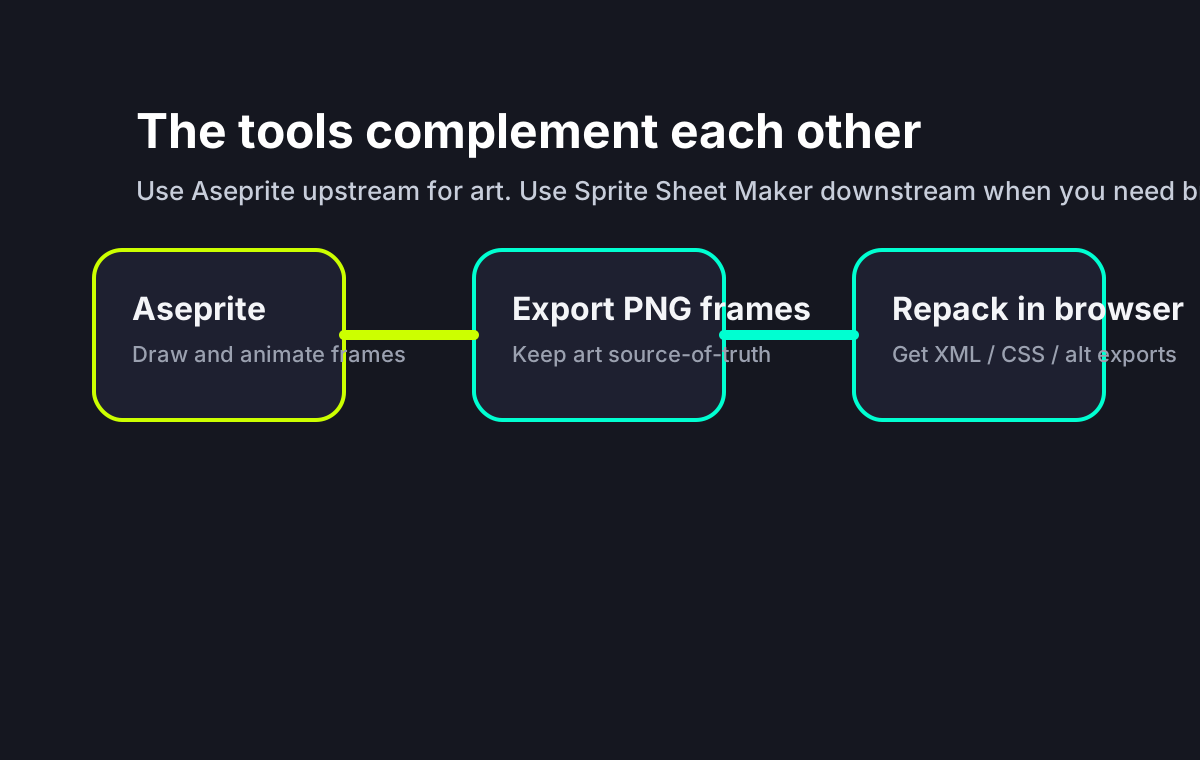
You paint pixel art in Aseprite but ship to Godot, where XML TextureAtlas is the cleanest import path. Export PNG frames from Aseprite (File → Export Sprite Sheet → PNG only), then drop them into Sprite Sheet Maker and grab the XML. You get Aseprite's drawing experience plus Godot-friendly output without writing custom importers.
A Common Combined Workflow
Common Workflows
How indie developers and small studios actually combine these tools in 2026.
Pixel artist shipping to Phaser or Pixi.js
Stay in Aseprite. Its built-in JSON Hash export is exactly what Phaser and Pixi.js consume. No second tool needed.
Pixel artist shipping to Godot 4
Draw and animate in Aseprite, then export individual PNG frames. Drop those into Sprite Sheet Maker, pick XML TextureAtlas, and import the resulting .xml + .png into Godot for SpriteFrames or AtlasTexture setup.
Non-pixel artist (Procreate, Photoshop)
Use Sprite Sheet Maker directly. Export PNG frames from your painting app, drop them in, download the ZIP. No reason to buy Aseprite if you're not drawing pixel art.
GIF source material
Sprite Sheet Maker handles GIF-to-sprite-sheet in one step — upload the GIF, it extracts every frame, you pick a layout, download the sheet. Aseprite can import GIFs but treats them as animations to repaint rather than packing raw frames.
Sprite Sheet Maker vs Aseprite FAQ
Pack Your Frames in the Browser
Export PNGs from Aseprite, Photoshop, Procreate, or Krita and pack them into a game-ready sprite sheet with JSON, CSS, and XML TextureAtlas coordinates.